
How can I set up Team Custom Learning Paths?
Kodeco Team & Enterprise administrators can create Custom Learning Paths to help team members develop specific skills and work towards shared learning goals.
Custom Learning Paths allow you to organize Kodeco video tutorials into a structured learning sequence and track your team's progress.
How do I create a Custom Learning Path?
- Log in to your Kodeco account and open your Admin Dashboard. Navigate to the Custom Learning Paths section.
- Choose to create a new Learning Path. Enter a title, a description, and select the main programming language or platform. You can also choose a multi-platform path.
- Add video tutorials by copying and pasting their exact Kodeco URLs into the Learning Path editor. Make sure to use the complete URL for each video tutorial.
-
Arrange the videos in the order you want your team to follow. Use the arrows to move videos up or down, or the trash icon to remove a video.
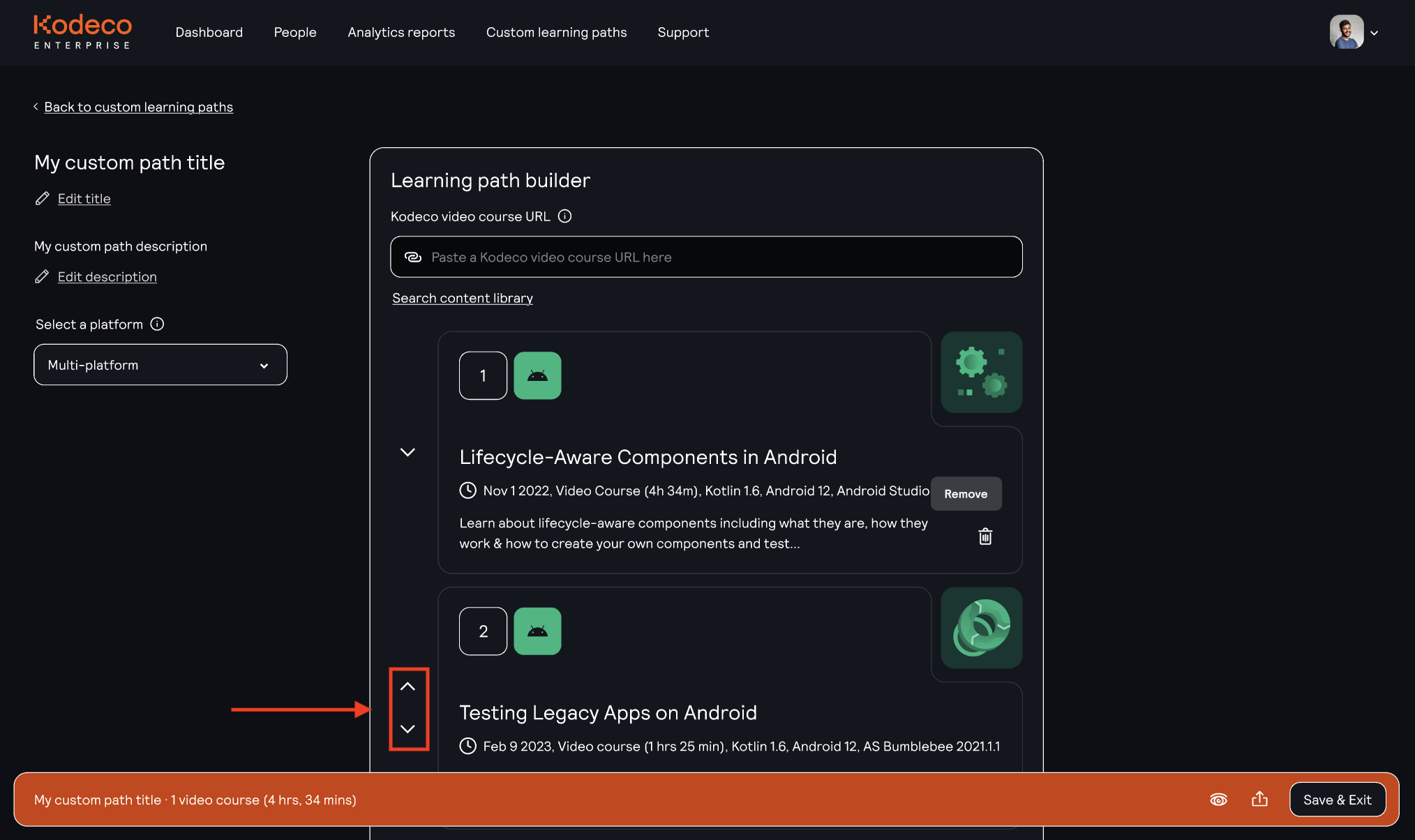
-
When you're happy with your Learning Path, click Save & Exit. Your new path will appear in the Custom Learning Paths dashboard.
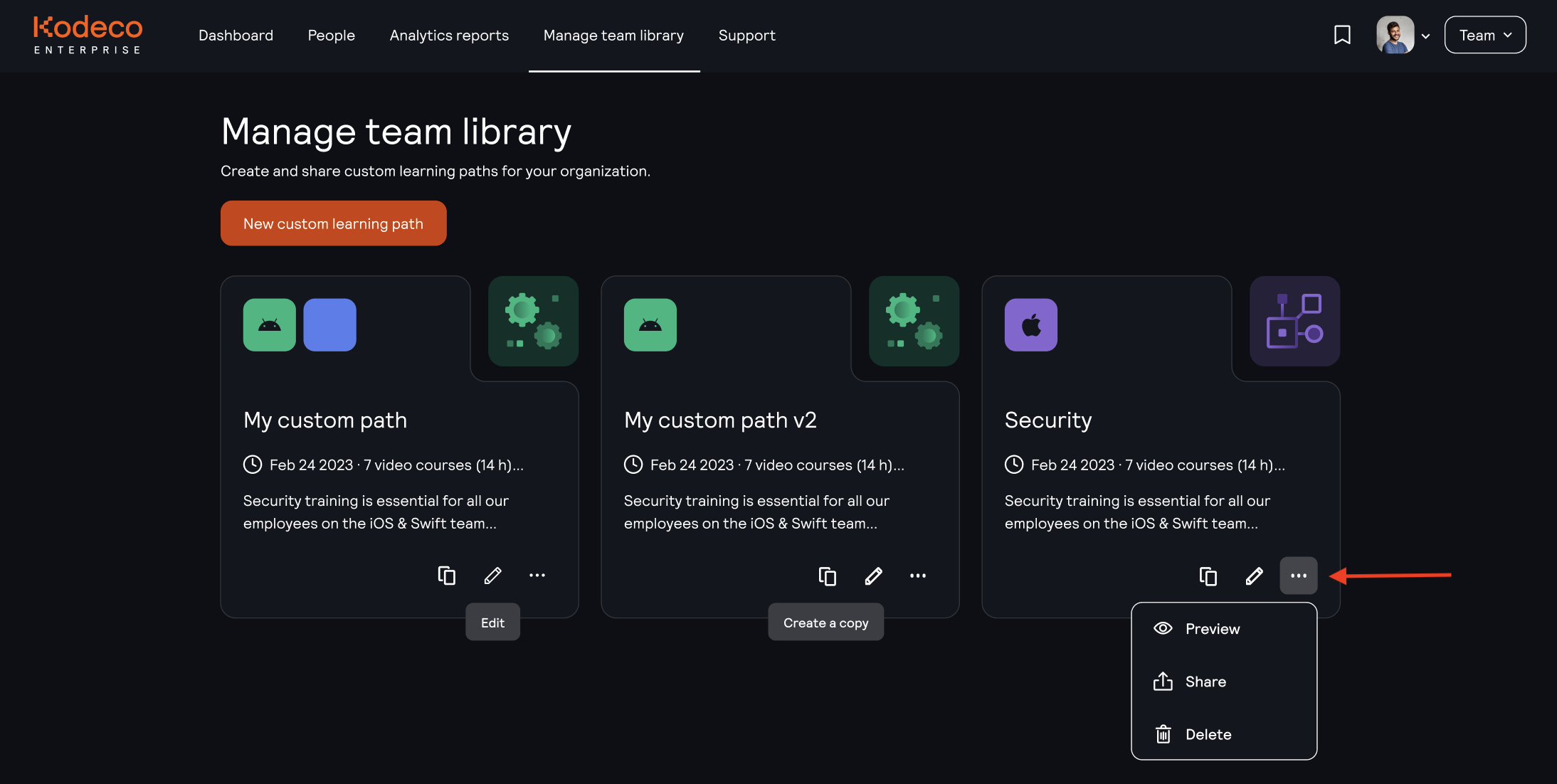
- From the dashboard, you can manage existing paths, preview their content, and use the available options to copy or share them with your team.
How can I track my team's progress?
Once team members start working through a Custom Learning Path, you can view their learning activity in the Team Analytics section of your Admin Dashboard.
Use the Custom learning path filter to view progress related to your team's Custom Learning Paths.

Where can team members find their Learning Paths?
Team members can access Custom Learning Paths through the Team Library on their Kodeco homepage.

As team members begin working through their Learning Paths, their progress may also be displayed on the homepage.
They can open the Team Library to browse the available Custom Learning Paths and continue learning.
Need help?
If you have questions about creating or managing Custom Learning Paths, contact our Enterprise support team at enterprisesupport@kodeco.com.