---
title: How can I delete my account?
description: Here's how we support your right to privacy and control over your details
---
[Skip to content](https://help.kodeco.com/how-can-i-delete-my-account#main-content)
[Contact us](https://help.kodeco.com/kb-tickets/new?hsLang=en)
[](https://www.kodeco.com/)
Open main navigation
Close main navigation
- [Contact us](https://help.kodeco.com/kb-tickets/new)
- [Go to Kodeco](https://www.kodeco.com/)
[Go to Kodeco](https://www.kodeco.com/)
Welcome — how can we help?
- There are no suggestions because the search field is empty.
1. [Help & Support](https://help.kodeco.com/?hsLang=en)
2. [Privacy Policy & Consent](https://help.kodeco.com/privacy-policy-consent?hsLang=en)
# How can I delete my account?
## Here's how we support your right to privacy and control over your details
At any time, you can request to delete your entire account with a quick click of a button. When logged into the profile you'd like to delete, go to [this link here](https://accounts.kodeco.com/profile) and scroll down to the bottom for a button titled 'Delete'.
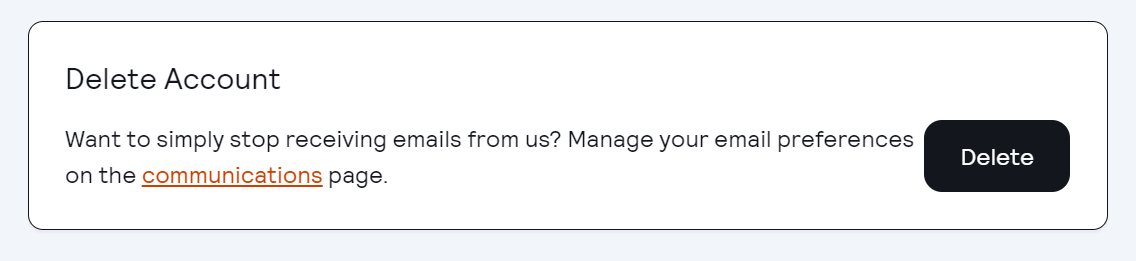
Once you click this button, you'll be asked to confirm that you'd like to delete your account. Please be aware that once you delete your account:
- You will no longer be able to access your account once the deletion is completed.
- If you have any purchases registered with the account you will lose access to any books purchased and will forfeit any remaining time on your subscription.
- We are not able to offer prorated refunds for any time left on a subscription.
- You will receive a confirmation from us that your account has been deleted.
In case you have any questions, please feel free to reach out to us at [support@kodeco.com](mailto:support@kodeco.com)!
- [Live Bootcamps](https://help.kodeco.com/live-bootcamps?hsLang=en#main-content)
- [Information for Current Students](https://help.kodeco.com/live-bootcamps?hsLang=en#information-for-current-students)
- [Information for Prospective Students](https://help.kodeco.com/live-bootcamps?hsLang=en#information-for-prospective-students)
- [Community](https://help.kodeco.com/community?hsLang=en)
- [Billing Details](https://help.kodeco.com/billing-details?hsLang=en)
- [Team & Enterprise Subscriptions](https://help.kodeco.com/team-enterprise-subscriptions?hsLang=en)
- [Content Questions](https://help.kodeco.com/content-questions?hsLang=en)
- [About Our App](https://help.kodeco.com/about-our-app?hsLang=en)
- [Report a Problem](https://help.kodeco.com/report-a-problem?hsLang=en)
- [Privacy Policy & Consent](https://help.kodeco.com/privacy-policy-consent?hsLang=en)
- [General](https://help.kodeco.com/general?hsLang=en)
- [On-Demand Bootcamps](https://help.kodeco.com/on-demand-bootcamps?hsLang=en)
[](https://www.kodeco.com/)
Kodeco Help Center
Copyright © 2026, Kodeco Ltd